हर मीटिंग को रिकॉर्ड करता है। आपकी मशीन पर।
कोई बॉट नहीं, कोई क्लाउड नहीं!
Autorec आपके सिस्टम ट्रे में बैठता है और तब पता लगाता है जब आप Zoom, Teams, Google Meet या Proton Meet कॉल में जुड़ते हैं। यह मीटिंग को रिकॉर्ड करता है और डिवाइस पर ही ट्रांसक्राइब करता है। सब कुछ आपकी मशीन पर। कॉल में कोई बॉट नहीं जुड़ता। कुछ भी अपलोड नहीं होता। एआई सारांश वैकल्पिक हैं, और आपके चुने हुए मॉडल से बनते हैं।

यह कैसे काम करता है
आप इसे एक बार लॉन्च करें और भूल जाएं।
आपके सिस्टम ट्रे में चलता है
autorec को एक बार लॉन्च करें। यह आपके सिस्टम ट्रे में बैठता है और आपके रास्ते से हटा देता है।

आपकी मीटिंग पहचानता है
जब आप Zoom, Teams या Google Meet कॉल में शामिल होते हैं, तो autorec समझ जाता है और रिकॉर्डिंग शुरू कर देता है।
रिकॉर्ड और ट्रांसक्राइब करता है
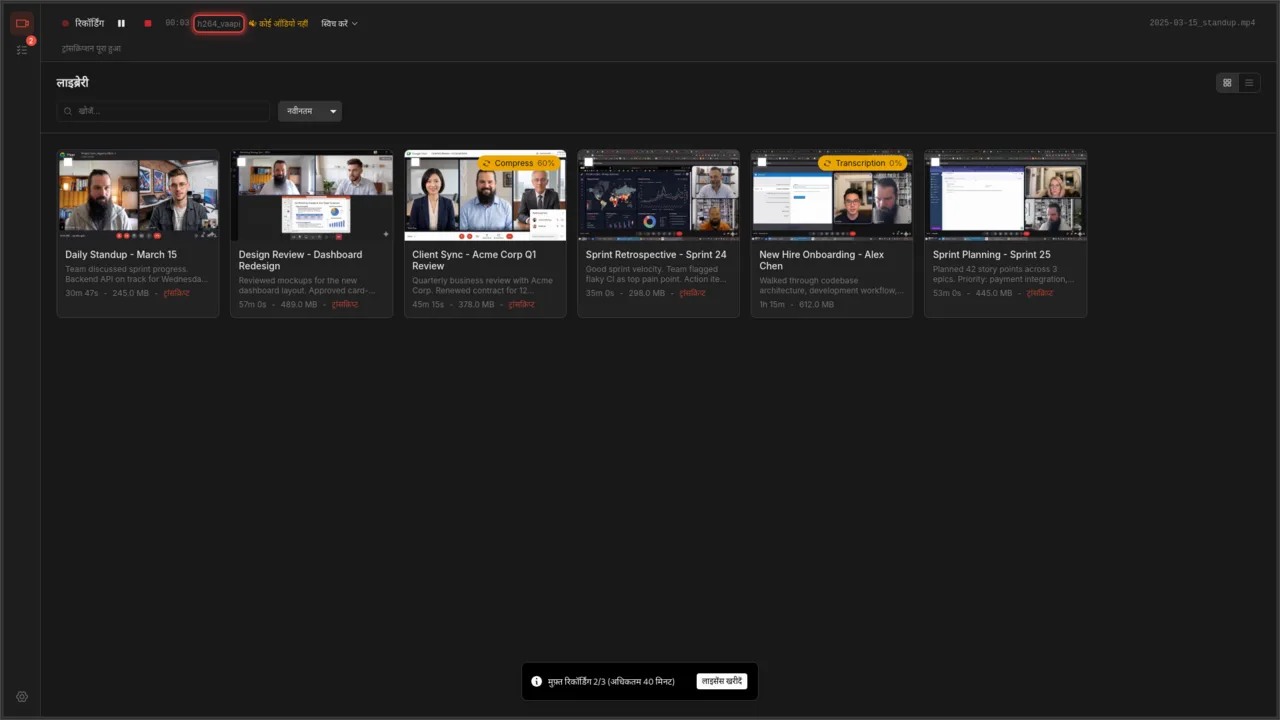
कॉल खत्म होने पर रिकॉर्डिंग, ट्रांसक्रिप्ट और वैकल्पिक AI सारांश — सब बिल्ट-इन लाइब्रेरी में दिख जाते हैं।
पूरी तरह आपकी मशीन पर चलता है। क्लाउड अकाउंट की ज़रूरत नहीं।
डेमो देखें
दो मिनट से कम में पूरा चक्र: मीटिंग विंडो खुलती है, Autorec उसे रिकॉर्ड करता है, और ट्रांसक्रिप्ट व सारांश आपकी लाइब्रेरी में आ जाते हैं।
यह क्या करता है
Autorec एक डेस्कटॉप ऐप है जो आपके Zoom, Teams, और Google Meet कॉल्स को रिकॉर्ड और ट्रांसक्राइब करता है, और आपके चुने हुए एआई मॉडल से उनका सारांश भी बना सकता है। रिकॉर्डिंग और ट्रांसक्रिप्शन आपकी अपनी मशीन पर चलते हैं। कोई क्लाउड अपलोड नहीं, कोई टेलीमेट्री नहीं।
ऑटो-डिटेक्शन और रिकॉर्डिंग
Zoom, Teams, Google Meet, Proton Meet और Jitsi को अपने आप पहचानता है, और Signal, Element या Telegram को उसी पल जब वे माइक्रोफ़ोन इस्तेमाल करने लगते हैं। मीटिंग शुरू होते ही रिकॉर्डिंग शुरू हो जाती है और खत्म होते ही रुक जाती है। कोई और ऐप जोड़ना बस कुछ क्लिक का काम है।
ऑटोमैटिक ट्रांसक्रिप्शन
ऑटो-ट्रांसक्राइब चालू करें और हर रिकॉर्डिंग लोकल रूप से ट्रांसक्राइब होती है, हिंदी समेत 17 भाषाओं में, सबटाइटल फाइल सहित। दोबारा देखने की बजाय ट्रांसक्रिप्ट पढ़ें और क्लिक करके सीधे उसी हिस्से पर पहुँचें, और आपका ऑडियो कभी आपकी मशीन से बाहर नहीं जाता।
AI-पावर्ड सारांश
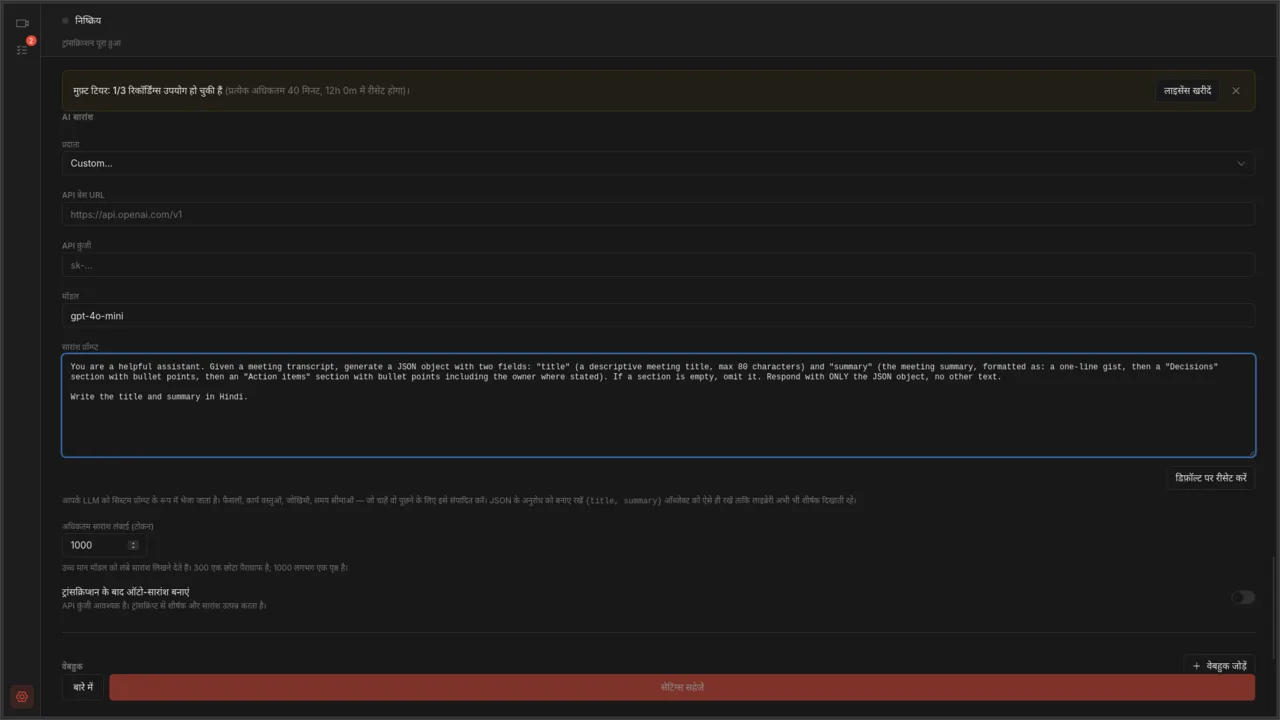
किसी भी OpenAI-कंपैटिबल AI सर्विस से कनेक्ट करें और अपने ट्रांसक्रिप्ट से ऑटो-जनरेट टाइटल और सारांश पाएं।
बिल्ट-इन वीडियो लाइब्रेरी
ऐप के अंदर रिकॉर्डिंग ब्राउज़ करें, खोजें और प्ले करें। कार्ड और टेबल व्यू, थंबनेल, मेटाडेटा और इंस्टेंट प्लबैक के साथ।
प्राइवेसी-फर्स्ट कैप्चर
पूरी स्क्रीन की बजाय सिर्फ मीटिंग विंडो को रिकॉर्ड करता है। रिकॉर्डिंग आपकी डिस्क पर सादा .mp4 फाइल के रूप में रहती है। कोई क्लाउड अकाउंट नहीं, कोई टेलीमेट्री नहीं।
ट्रिम और कंप्रेस
रिकॉर्डिंग के शुरुआत और अंत में बेकार समय काट दें। क्वालिटी खराब किए बिना डिस्स्पेस बचाने के लिए फाइल्स कंप्रेस करें।
अभी उपलब्ध
Linux, Windows या macOS के लिए डाउनलोड करें।
सरल कीमत
एक बार भुगतान प्रति मेजर वर्शन
या इसे 24 घंटे में 3 रिकॉर्डिंग तक, प्रत्येक 40 मिनट की सीमा के साथ मुफ़्त उपयोग करें। सीमाएँ हटाने के लिए एक बार भुगतान करें। सभी छोटे अपडेट शामिल हैं।
पूरी कीमत देखें →Autorec कौन बनाता है
मैं Moritz Laass हूँ, एक सॉफ़्टवेयर डेवलपर। Autorec को मैं अकेले बनाता हूँ: कोड भी मैं लिखता हूँ और सपोर्ट ईमेल का जवाब भी मैं ही देता हूँ, इसलिए hello@autorec.app पर आप जो भी भेजेंगे, वह सीधे मुझ तक पहुँचेगा।
Autorec को मेरी कंपनी प्रकाशित करती है:
Top Focus LLC701 Tillery Street, Unit 12-1251
Austin, TX 78702, USA
लगातार अपडेट रहें
जब कोई नया संस्करण आता है या आपकी बैठकों को निजी तरीके से रिकॉर्ड करने के बारे में कुछ महत्वपूर्ण होता है, तो एक संक्षिप्त ईमेल। महीने में कुछ बार अधिकतम। जब चाहें, सदस्यता रद्द कर सकते हैं।